Look-Ahead Report
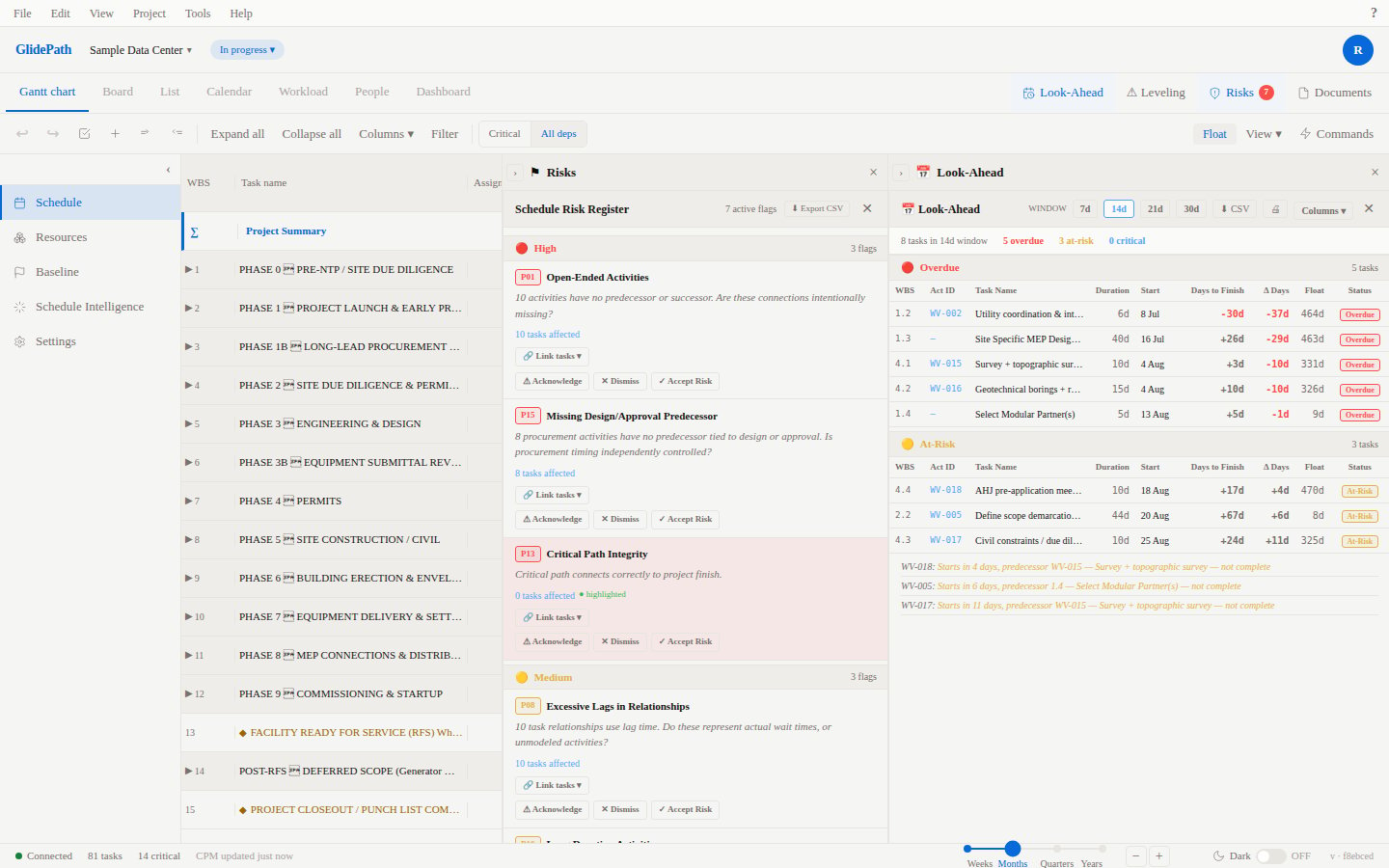
The Look-Ahead report focuses your team on the next 2–4 weeks of work with alerts for dependencies, resources, and risks.Feature Spec Reference
Module 7 — Look-AheadLook-Ahead View
The report displays:- Tasks Starting Soon (next 14 days by default)
- Tasks Completing Soon
- Dependencies Coming Due (predecessors finishing before dependent starts)
- Resource Conflicts (person/equipment over-allocated)
- At-Risk Tasks (tasks flagged in Risk Register or behind schedule)
Filtering Look-Ahead
Date Range
- Change the default 2-week window to 1 week, 3 weeks, or 4 weeks
- Or select custom date range
Task Status
- Show all tasks or filter by status (On Track, At Risk, Behind)
Resource
- Filter to show only tasks assigned to a specific person or equipment
Risk Level
- Show only high-risk tasks, or include all risk levels
Color Coding
Actions from Look-Ahead
Click a Task
- Opens task detail panel
- Edit task properties or progress
- Add notes or attachments
Mark Task As Reviewed
- Checkbox to acknowledge you’ve reviewed the upcoming work
- Status tracked for team coordination
Export Look-Ahead
- Export to CSV or PDF for team distribution
- Print for field use
Screenshot
Common Use Cases
- Weekly Planning Meetings: Review look-ahead with team to plan next week
- Field Updates: Print or email look-ahead to field supervisors
- Dependency Management: Identify potential handoff issues before they occur
- Resource Planning: Spot over-allocations early and shift tasks